Overview:
Switch is a comprehensive forex trading platform that makes possible the exchange of British Pounds (GBP) with
Nigerian Naira (NGN). Switch is dedicated to providing a secure and user-friendly platform for individuals and
businesses in Nigeria to engage in GBP trading while ensuring compliance with financial regulations and promoting
responsible trading practices.
Overview:
Switch is a comprehensive forex trading platform
that makes possible the exchange of British
Pounds (GBP) with Nigerian Naira (NGN).
Switch is dedicated to providing a secure and
user-friendly platform for individuals and
businesses in Nigeria to engage in GBP trading
while ensuring compliance with financial
regulations and promoting responsible trading
practices.
Role:
User Experience (UX) Designer
Team:
Fawaz Ojomu
(Solo)
Duration:
3 Weeks
Why Switch?:
This project is as a result of trying to make attempts on a personal fintech project, just to get to know how much I
understand how designing for fintech products work, its entire flow, and everything in-between.
Why Switch?:
This project is as a result of trying to make
attempts on a personal fintech project, just to get
to know how much I understand how designing
for fintech products work, its entire flow, and
everything in-between.
Design Process:
My design process differ sometimes, it depends on the kind of project I’m working on, I followed an entirely different
design process here:
Research
Mood board
Design
Now, let’s see how it works!
Design Process:
My design process differ sometimes, it depends on
the kind of project I’m working on, I followed an
entirely different design process here:
Research
Mood board
Design
Now, let’s see how it works!
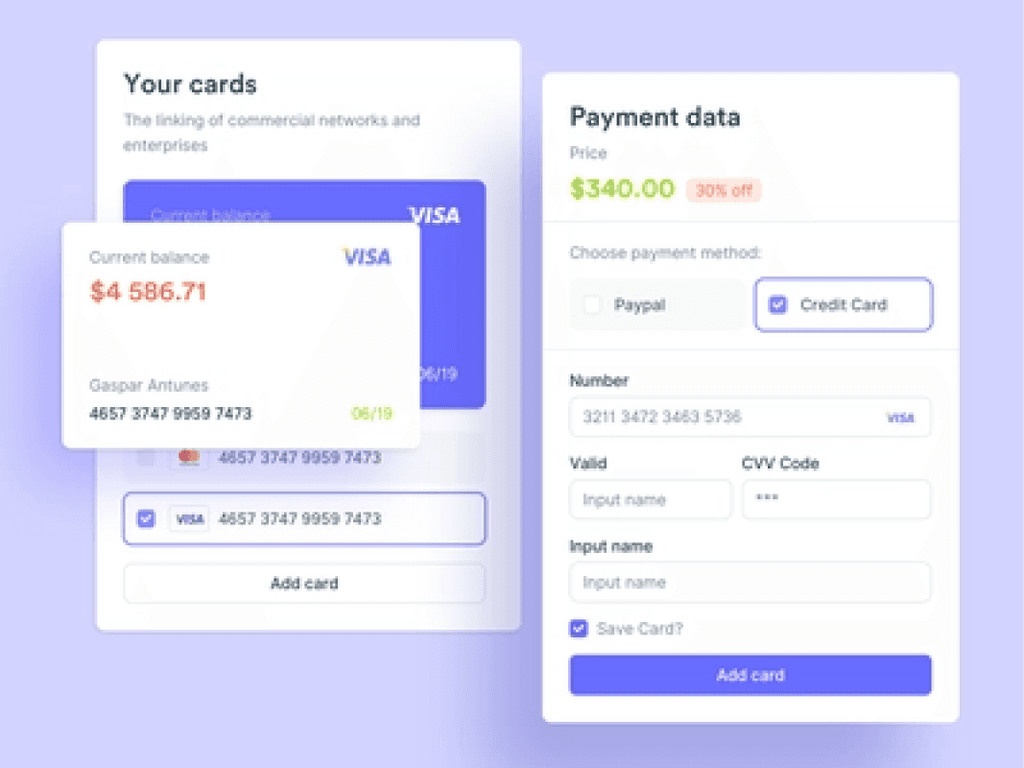
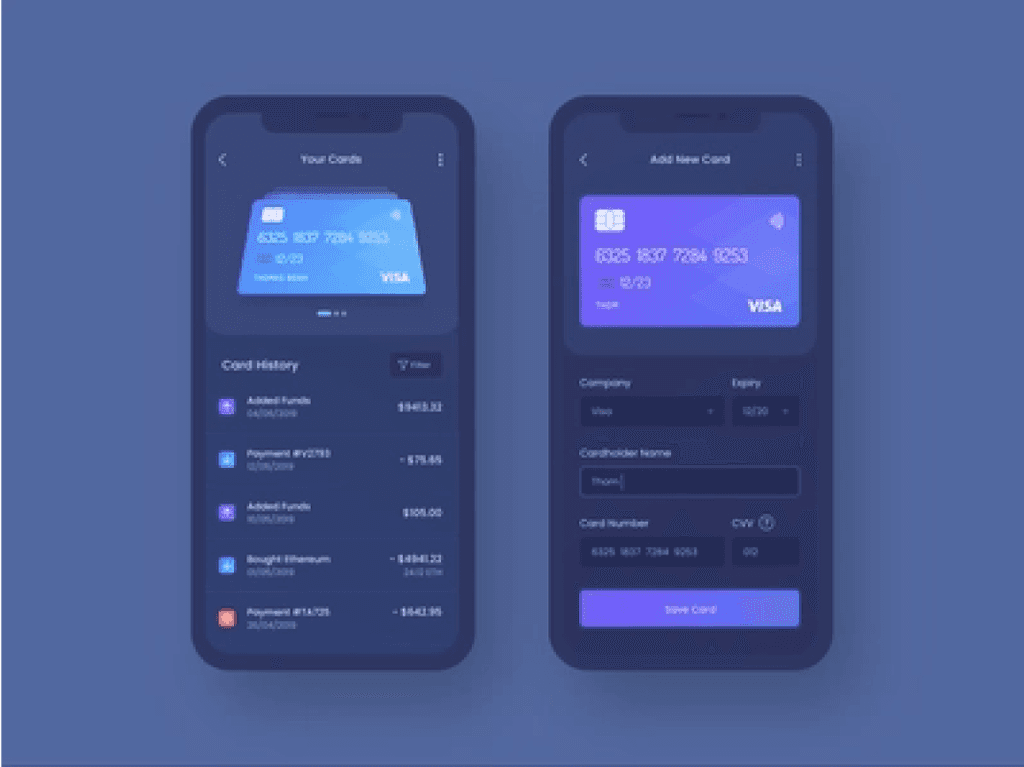
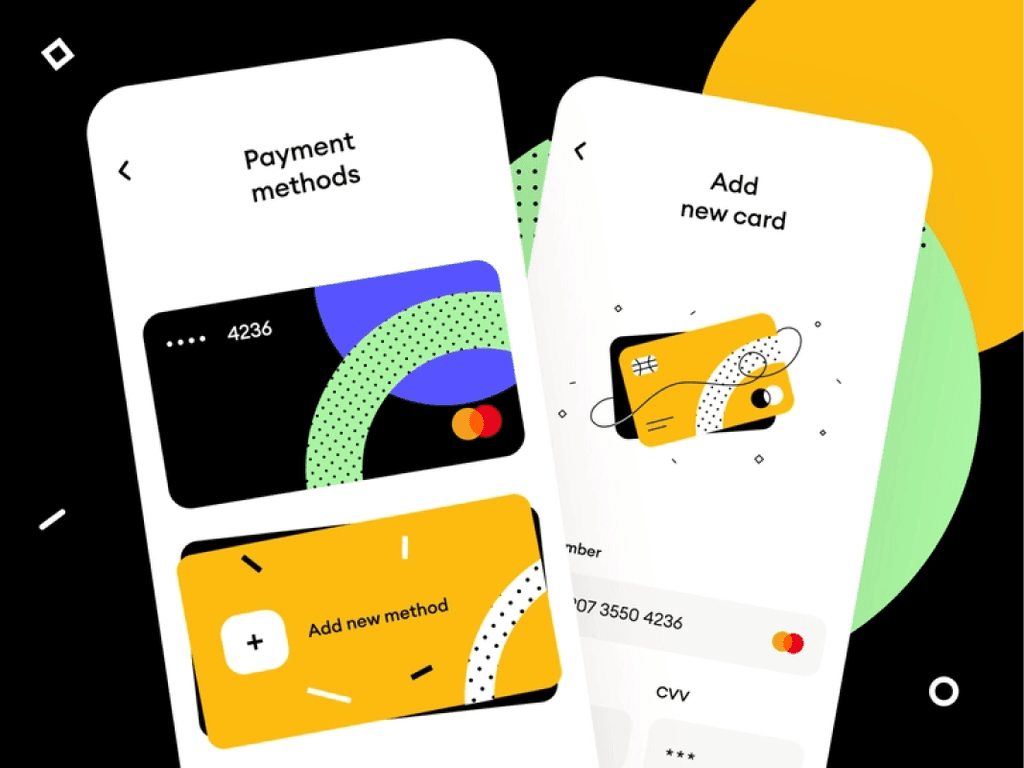
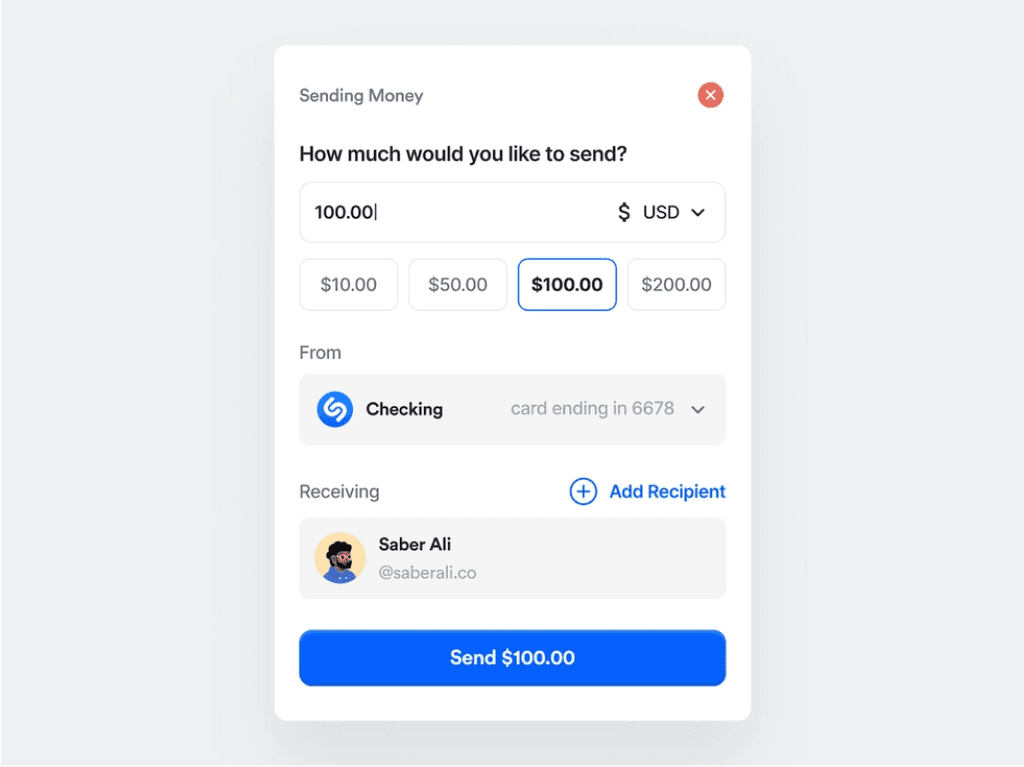
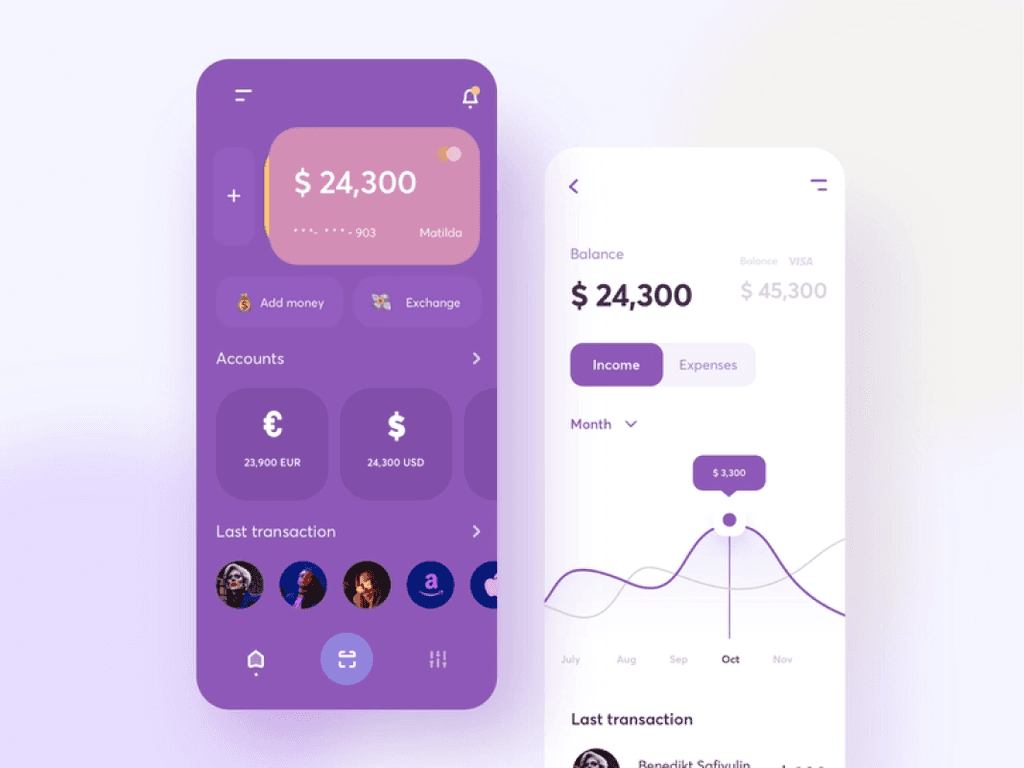
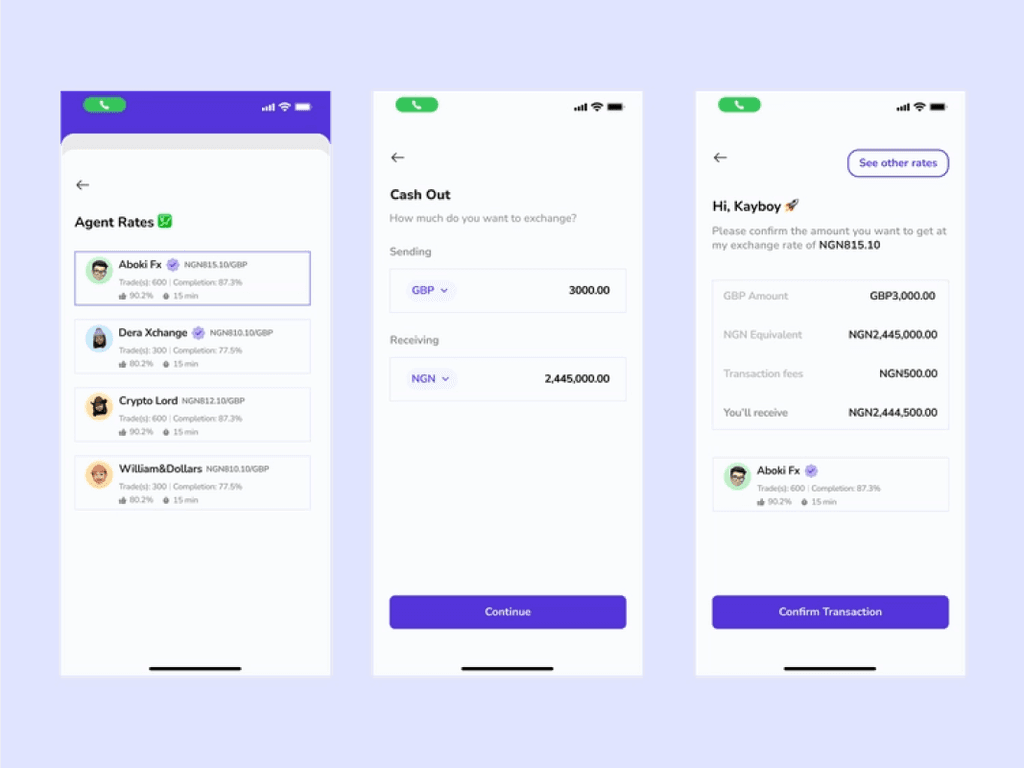
Research & Mood board:
I already knew what I was going to do, the kind of platform I would be designing for. The additional thing I did was making
research on how foreign exchange platforms work. I looked into different GBP trading products and other creatives’
projects, just to have a full understanding of GBP trading. During the research, I was able to gather up a few
related/similar UI design (mood board) that would enhance my understanding in GBP trading platforms, and also help
increase my creativity.
Research & Mood board:
I already knew what I was going to do, the kind of
platform I would be designing for. The additional
thing I did was making research on how foreign
exchange platforms work. I looked into different
GBP trading products and other creatives’
projects, just to have a full understanding of GBP
trading. During the research, I was able to gather
up a few related/similar UI design (mood board)
that would enhance my understanding in GBP
trading platforms, and also help
increase my creativity.
Mood board
Now, Let’s go!
Now, Let’s go!
Design:
Design:
After gathering a few designs similar/related to the platform I want to design for, mood board was created, and
it inspired me to be more creative and have more understanding in GBP trading platforms.
After gathering a few designs similar/related to the
platform I want to design for, mood board was
created, and it inspired me to be more creative
and have more understanding in GBP trading
platforms.
Splash screen & Onboarding:
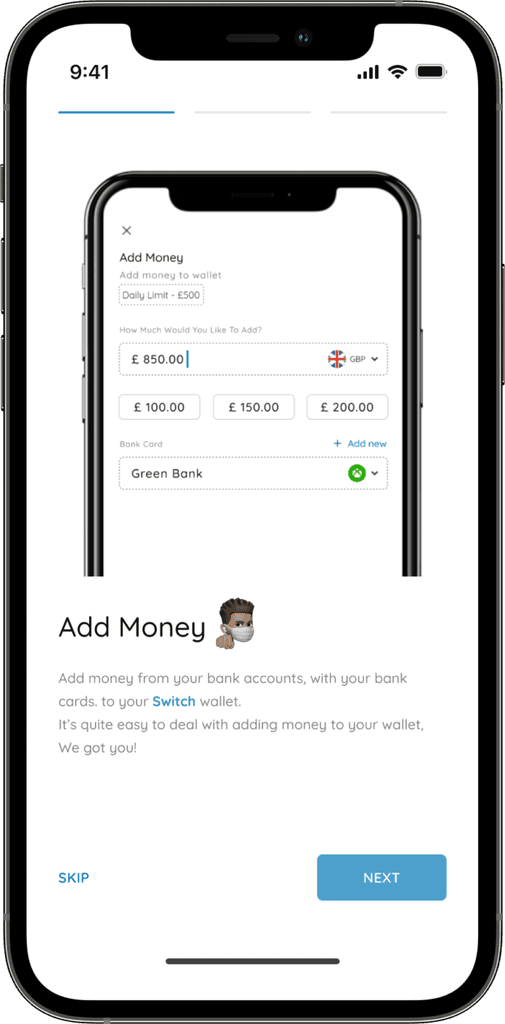
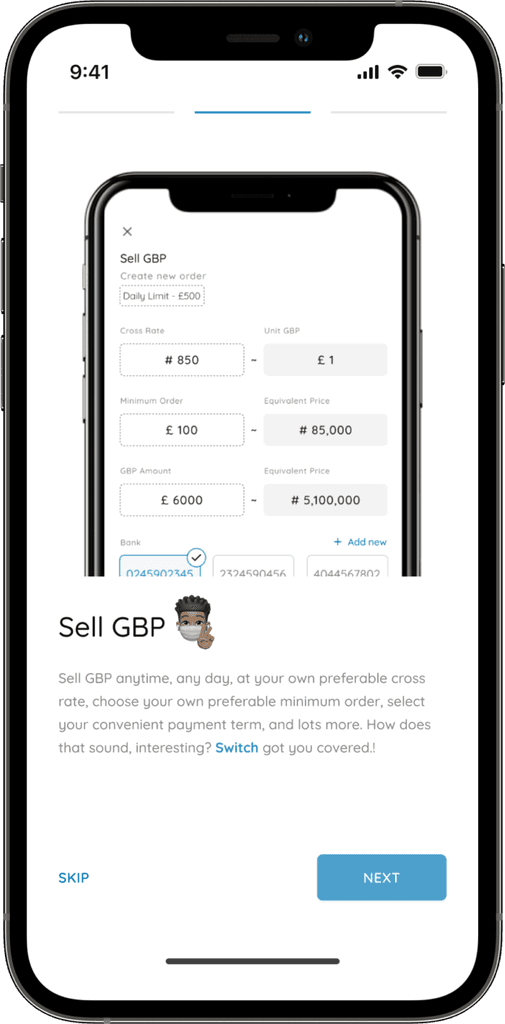
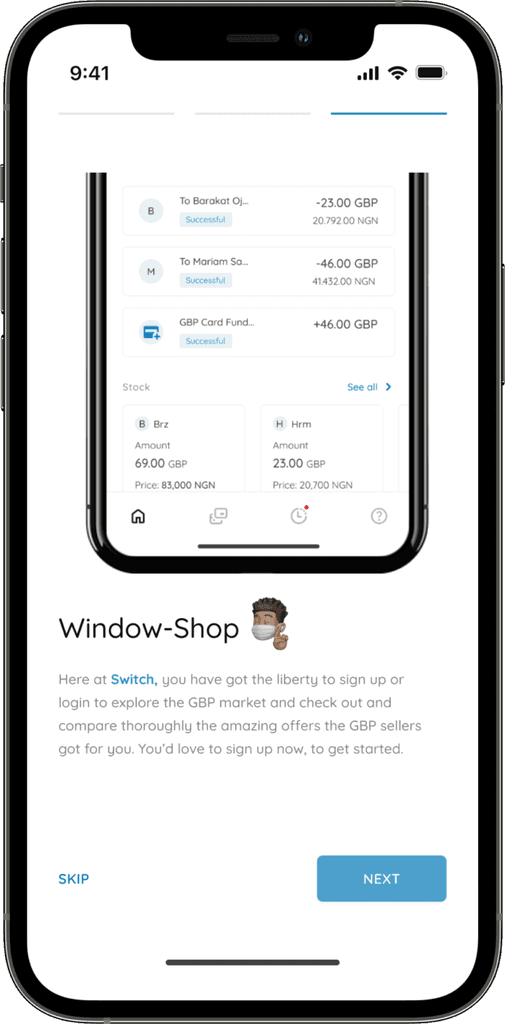
The Splash screen didn’t require deep thinking, I settled for using only the product’s logo on the screen. As for the
onboarding screens, I got inspired by another designer’s work (also GBP trading related) that I saw on Twitter, and
I recreated it.
Splash screen & Onboarding:
The Splash screen didn’t require deep thinking,
I settled for using only the product’s logo on the
screen. As for the onboarding screens, I got
inspired by another designer’s work (also GBP
trading related) that I saw on Twitter, and
I recreated it.
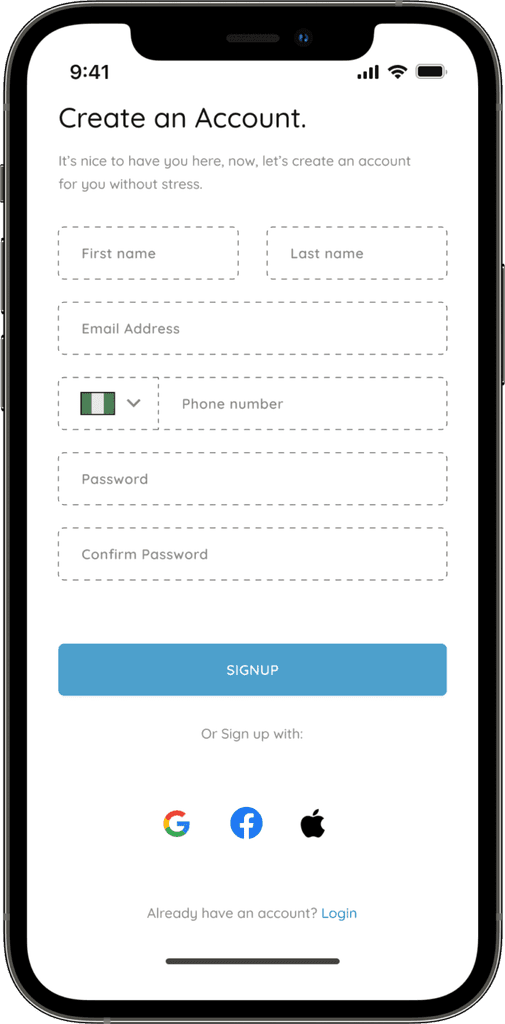
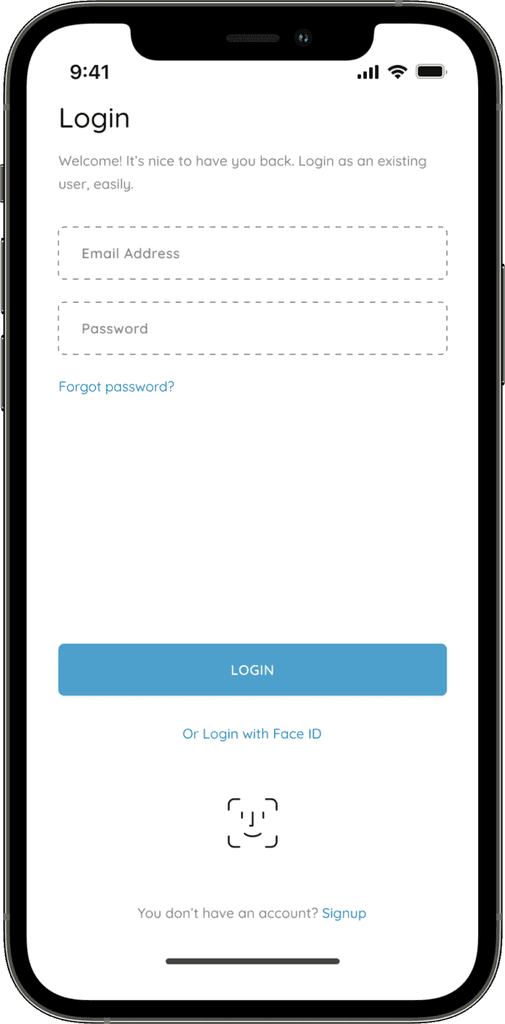
Authentication:
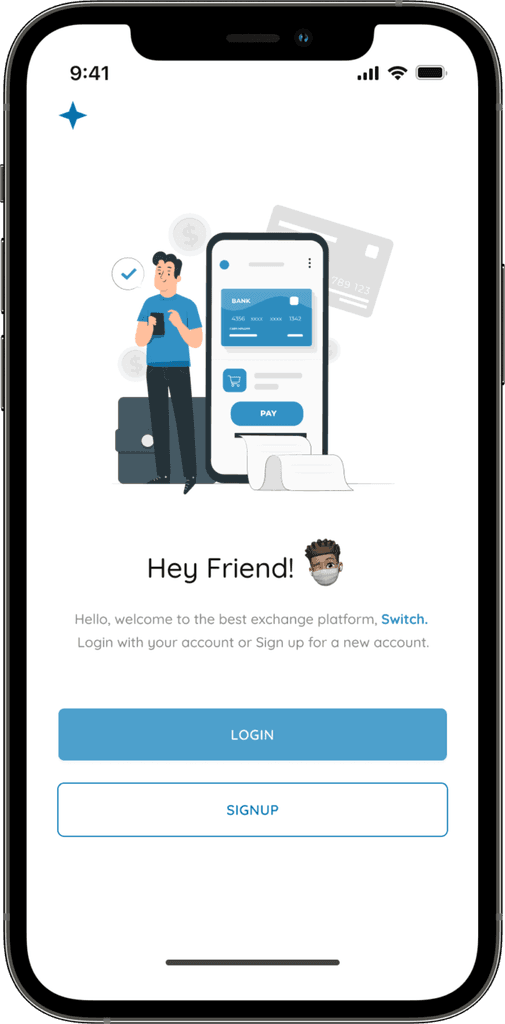
It’s very crucial that there’s authentication in the platform, just for security, and verifying users before allowing
access to the platform.
Authentication:
It’s very crucial that there’s authentication in the
platform, just for security, and verifying users
before allowing access to the platform.
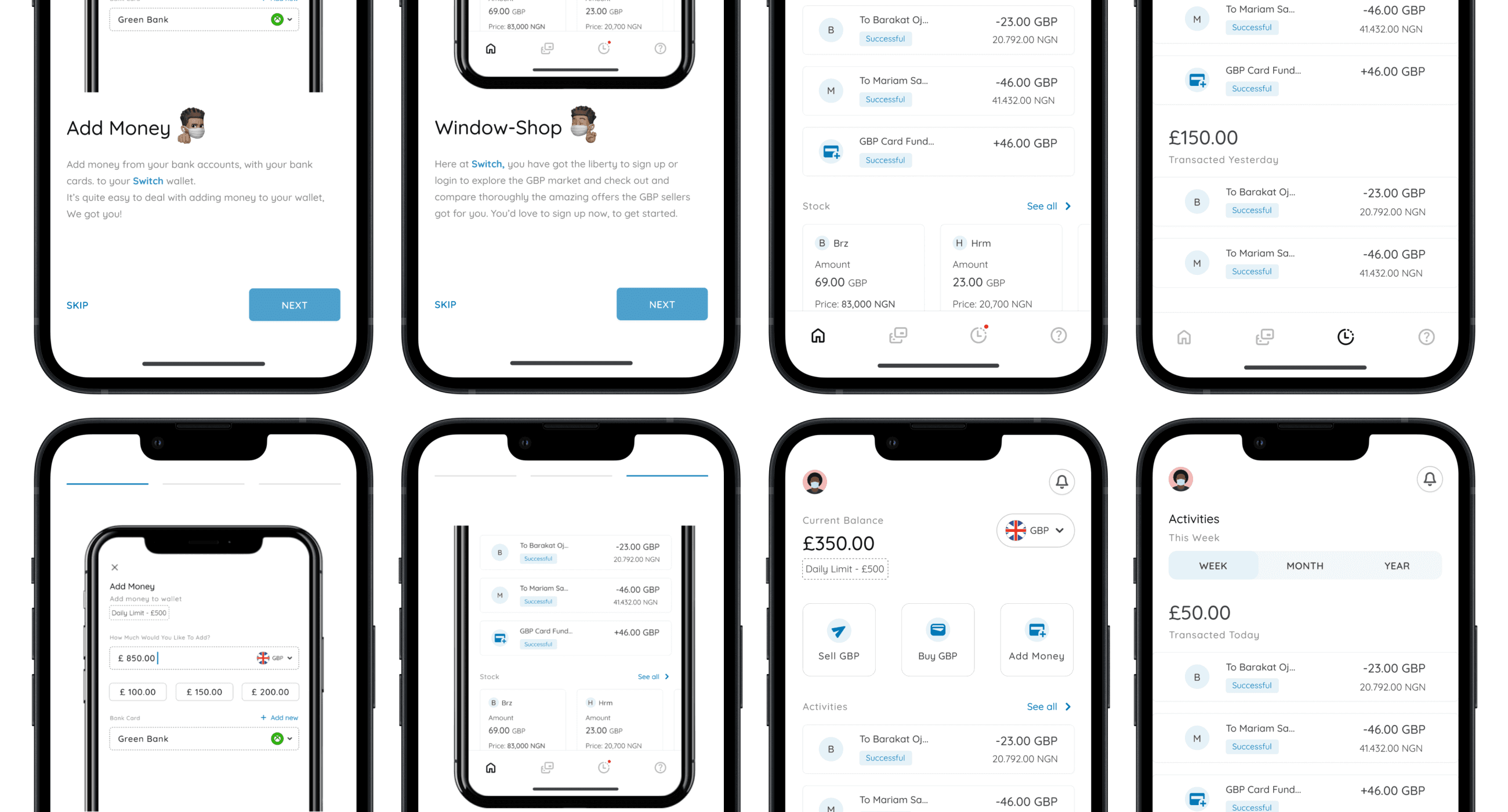
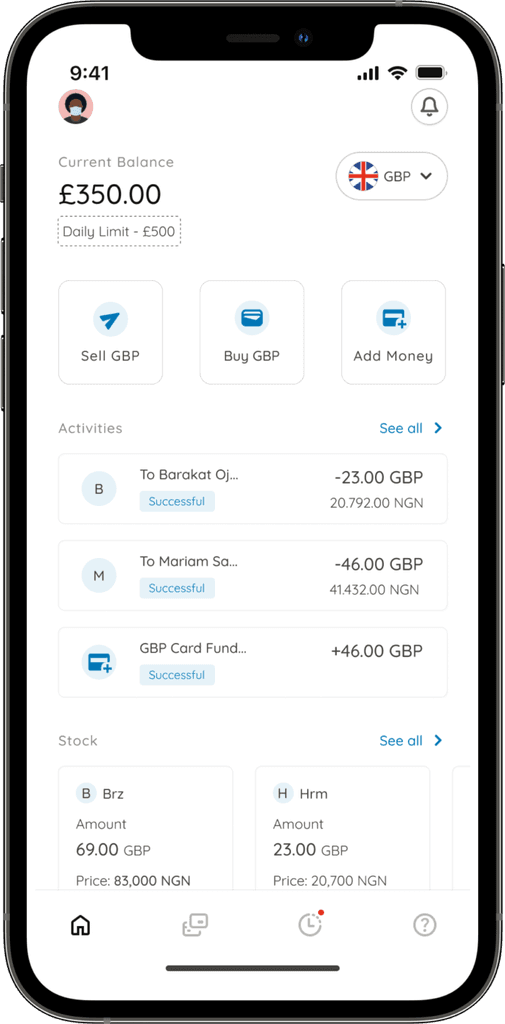
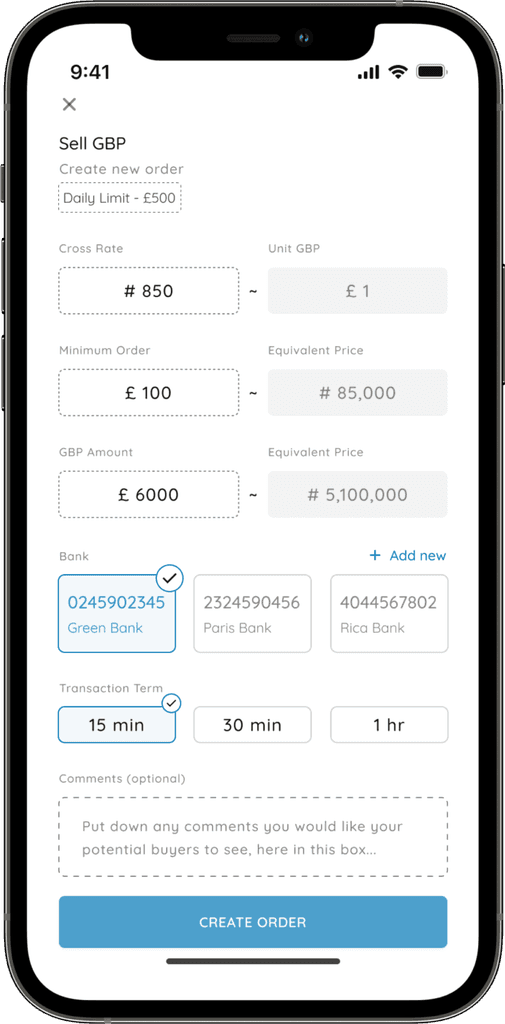
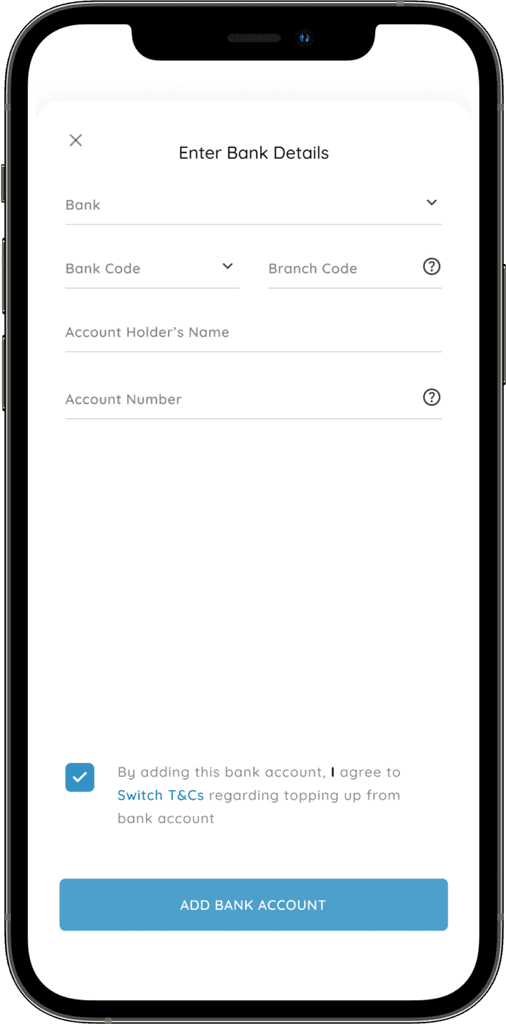
Home screen, Sell GBP, Add new bank:
The home screen is needed to be simple, clean, and user-friendly, it shows the user’s current balance, daily limit, and
contain sub-sections other phases of the product. The “Sell GBP” page shows the cross rate, minimum order, GBP
amount, bank choice, and transaction term the seller wants.
Home screen, Sell GBP, Add new bank:
The home screen is needed to be simple, clean, and
user-friendly, it shows the user’s current balance,
daily limit, and contain sub-sections other phases
of the product. The “Sell GBP” page shows the
cross rate, minimum order, GBP amount, bank
choice, and transaction term the seller wants.
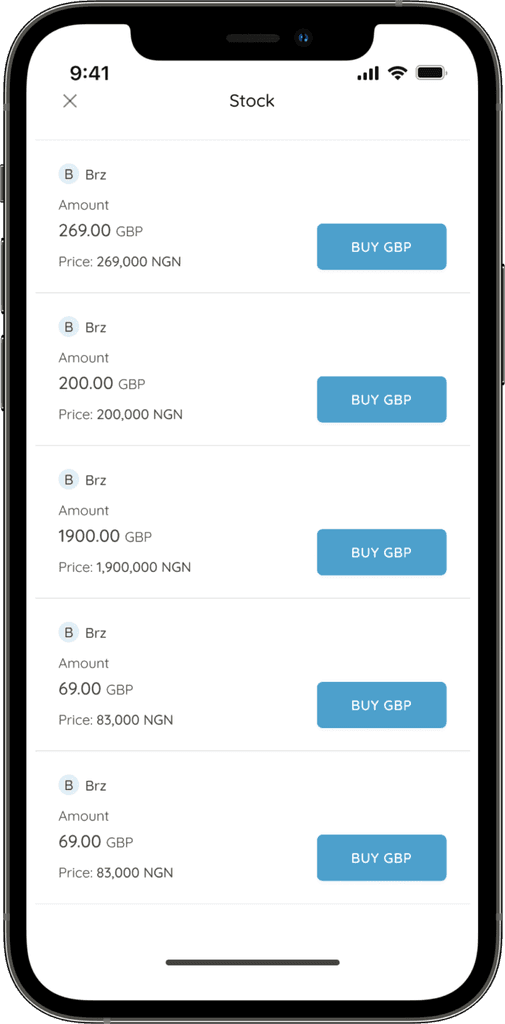
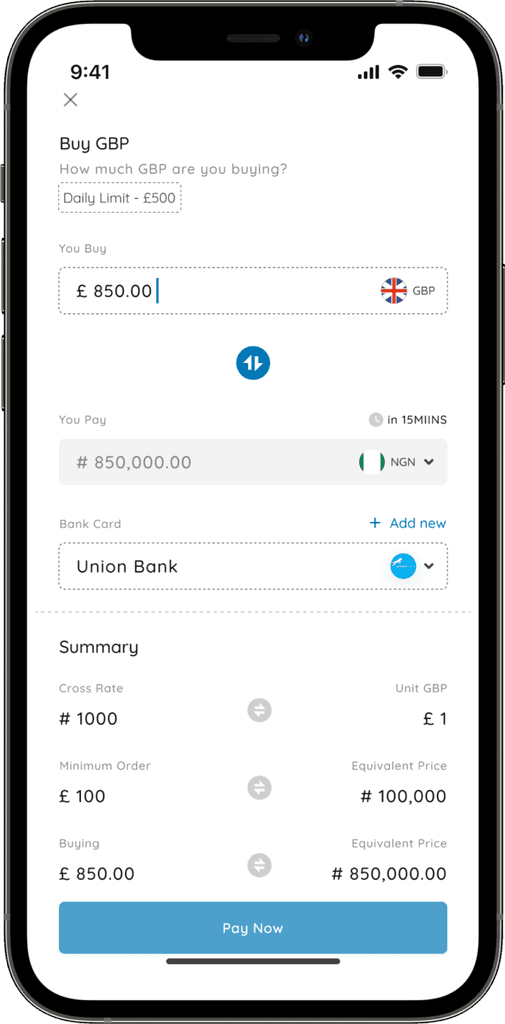
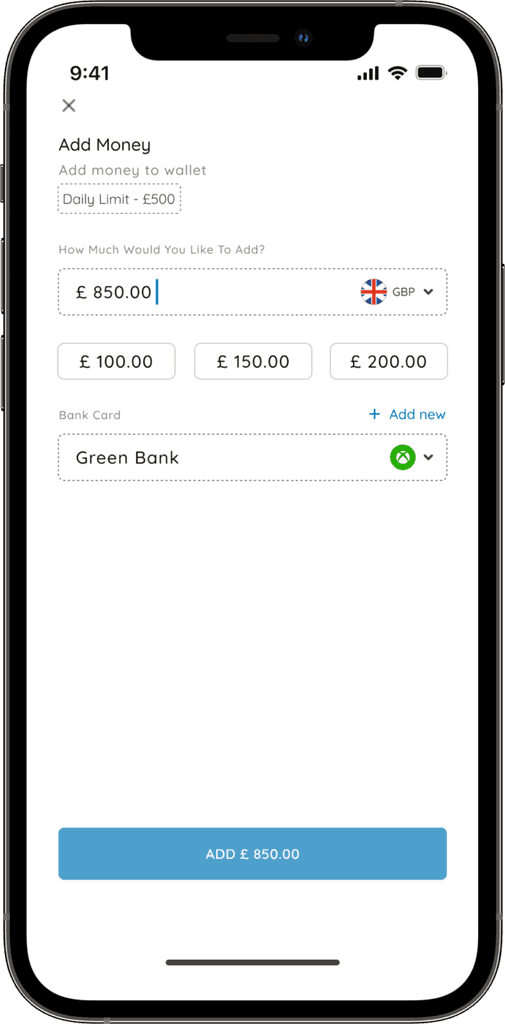
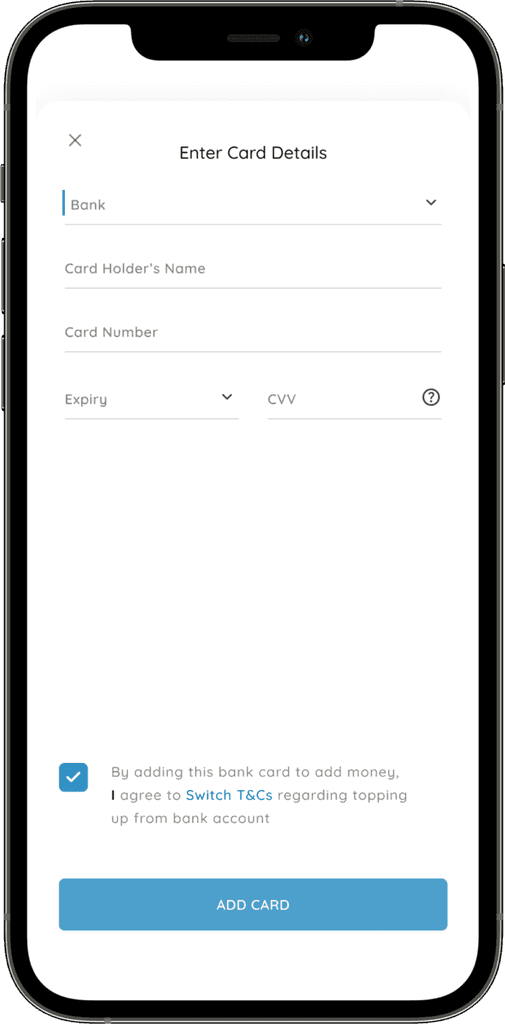
Buy GBP & Add money:
The “Buy GBP” screen comes up when the user click on a certain GBP that’re interested in, and they input the amount
of GBP they are buying, it automatically get calculated into the price they would pay in NGN, they would also select the
bank they want to use in making payment, and they see the summary of all. On the other hand, the “Add money” screen
shows up when the user clicks on “Add money” on the home screen.
Buy GBP & Add money:
The “Buy GBP” screen comes up when the user
click on a certain GBP that’re interested in, and
they input the amount of GBP they are buying, it
automatically get calculated into the price they
would pay in NGN, they would also select the bank
they want to use in making payment, and they see
the summary of all. On the other hand, the
“Add money” screen shows up when the user
clicks on “Add money” on the home screen.
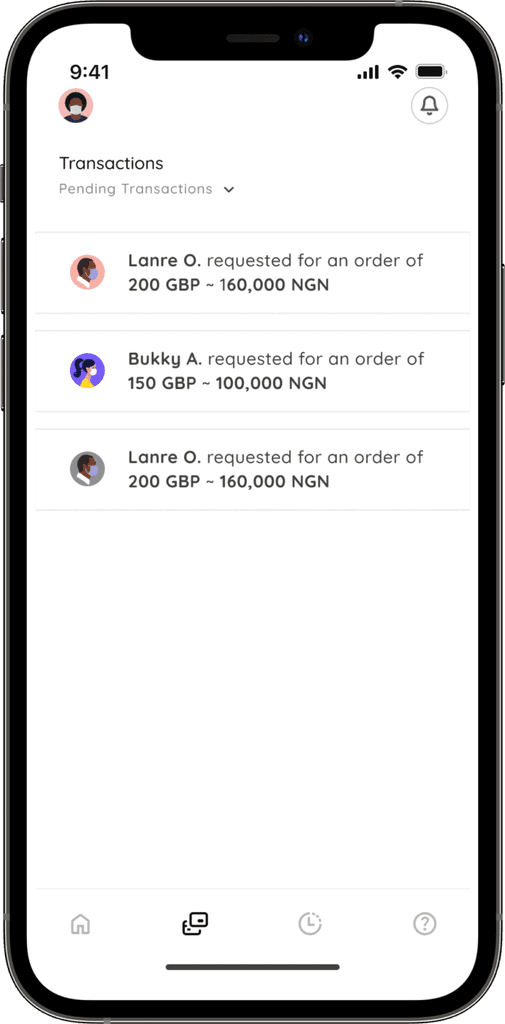
Transaction screens:
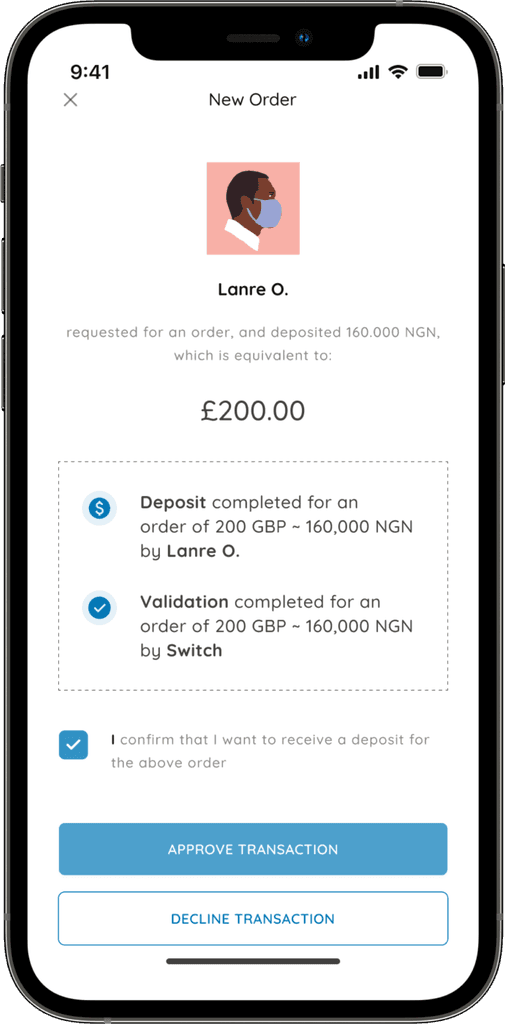
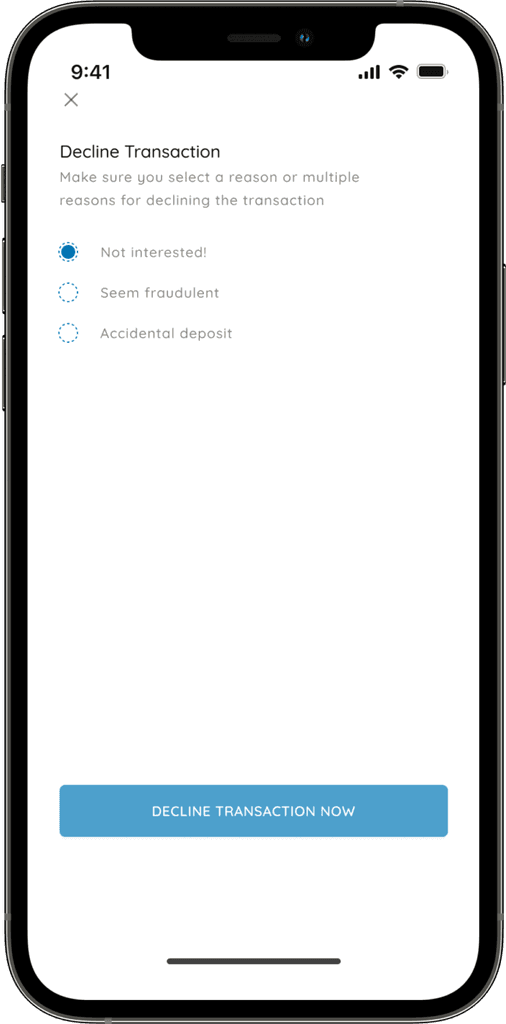
The transactions screen shows the pending transactions, and can be changed to completed transactions, using the
dropdown icon beside the text, an order can be approved and also be declined if the user doesn’t want to the
transaction to occur.
Transaction screens:
The transactions screen shows the pending
transactions, and can be changed to completed
transactions, using the dropdown icon beside the
text, an order can be approved and also be
declined if the user doesn’t want to the
transaction to occur.
Activities screen:
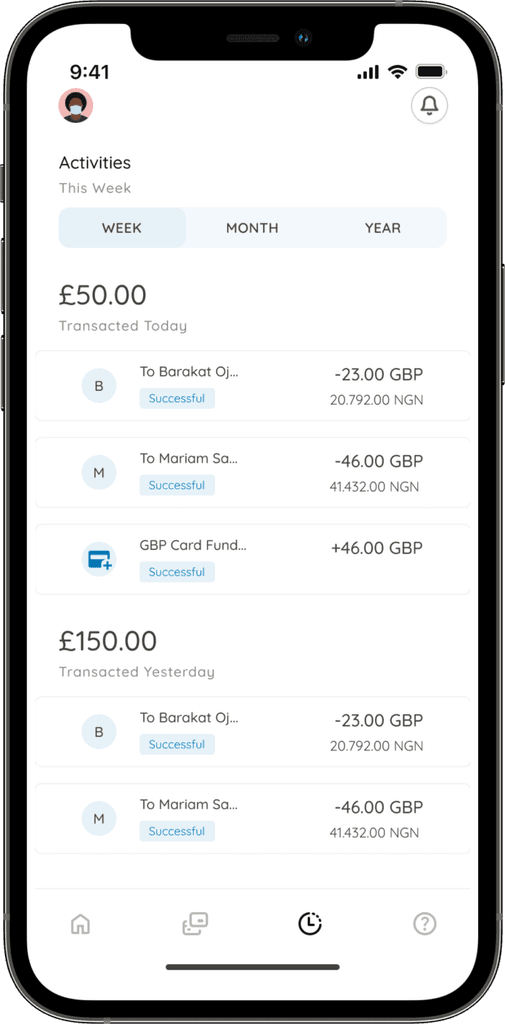
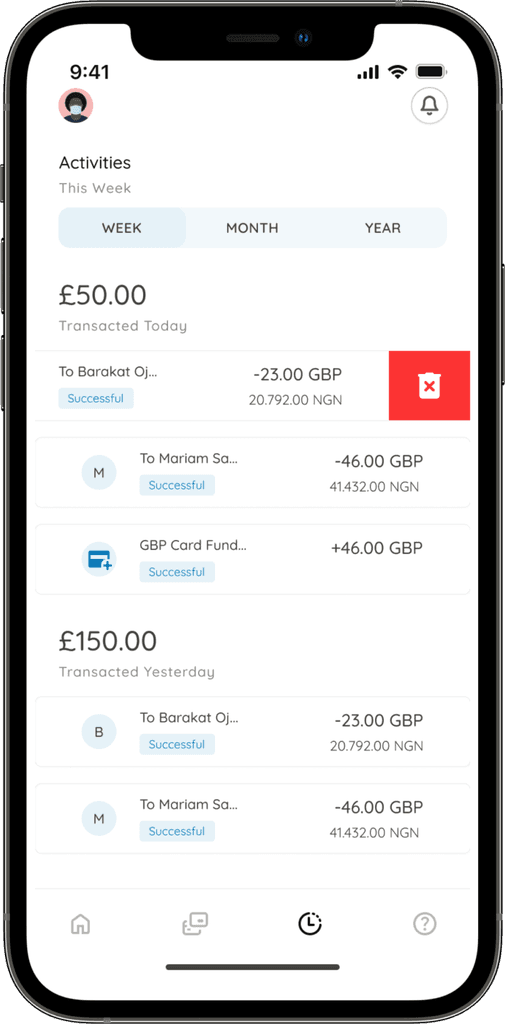
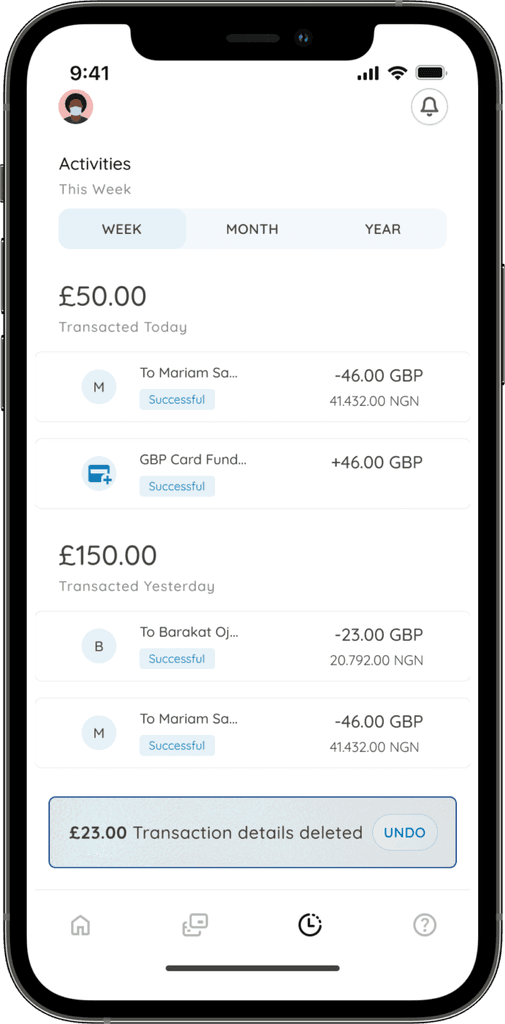
This section shows the transactional activities of the user, it can be sorted by week, month, or year.
Transactions can be deleted, and also be recovered after a few seconds before it get deleted completely.
Activities screen:
This section shows the transactional activities of
the user, it can be sorted by week, month, or year.
Transactions can be deleted, and also be recovered
after a few seconds before it get deleted completely.
Switch
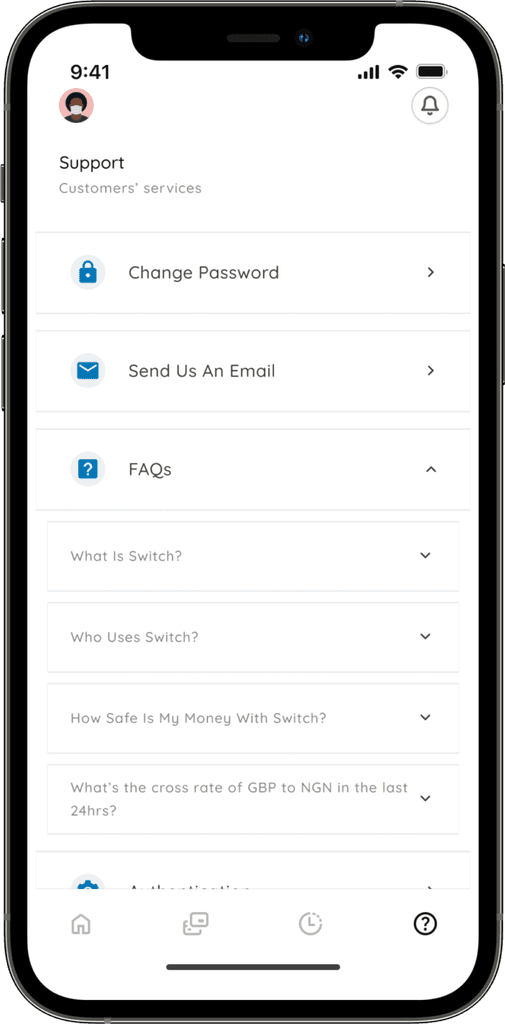
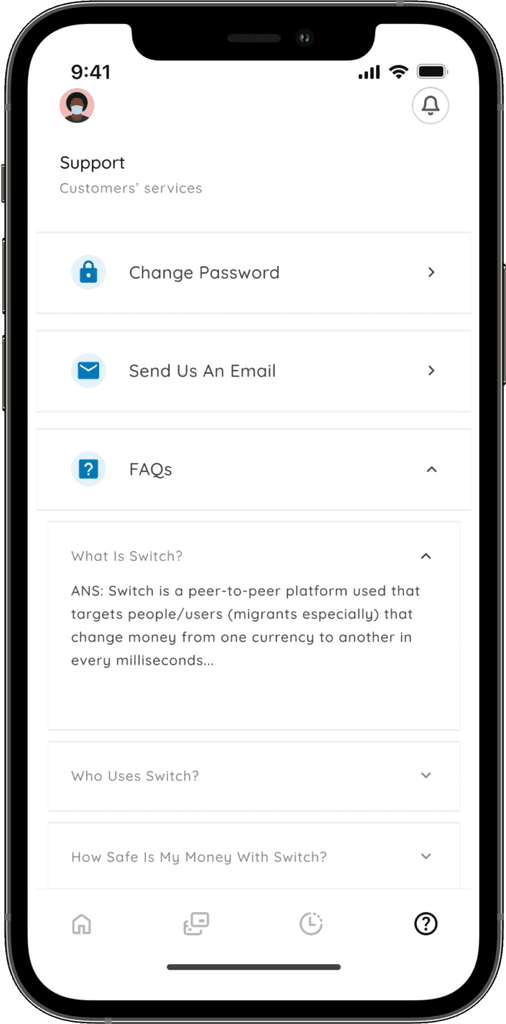
Support section:
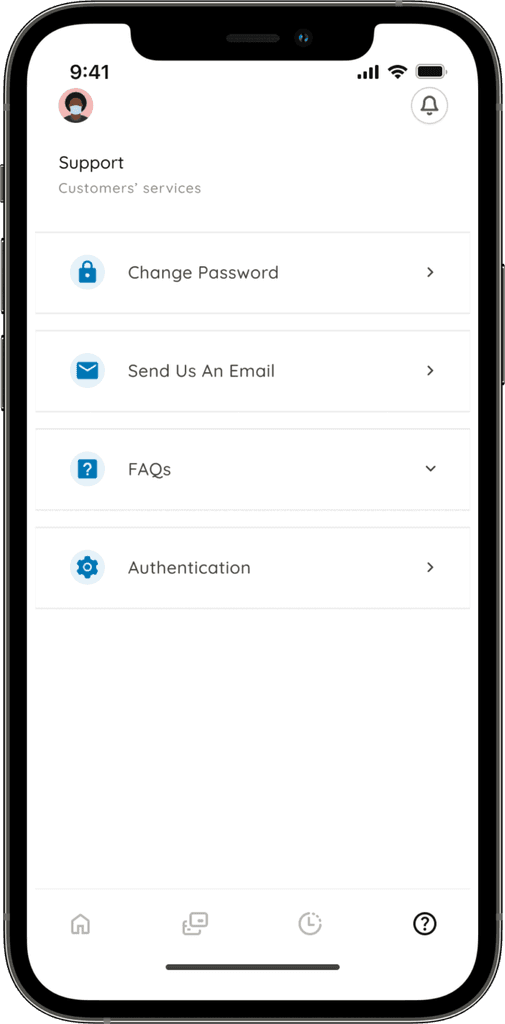
This section is committed to supporting users with certain thigs like password reset, sending emails, FAQs,
authentication, and so on.
Support section:
This section is committed to supporting users with
certain thigs like password reset, sending emails,
FAQs, authentication, and so on.
Testing & Conclusions:
Testing was not really carried out because it was just an experimental project, however, I did prototype the screens
and interacted with the prototype on my own. It was really a nice project, I learnt more about how GBP trading
platforms actually do work. Awesome project, awesome experience.
Testing & Conclusions:
Testing was not really carried out because it was
just an experimental project, however, I did
prototype the screens and interacted with the
prototype on my own. It was really a nice project,
I learnt more about how GBP trading platforms
actually do work. Awesome project, awesome
experience.
Let's Connect
Let's Connect
Get in touch for opportunities or say hi
if you would love to collaborate.
Get in touch for opportunities or say hi
if you would love to collaborate.
Switch
Role:
UX Designer
Team:
Fawaz Ojomu
(Solo)
Duration:
4 Weeks